How to Check, Generate or Download Your TRA TIN Number Online in Tanzania
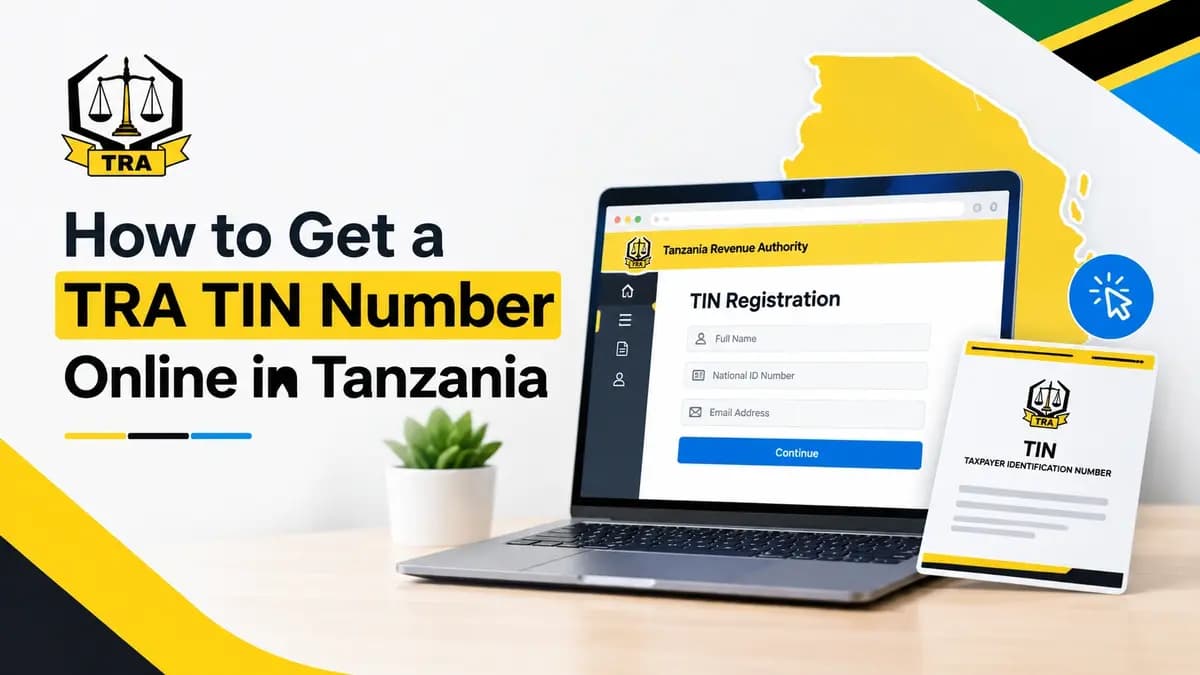
Check your TRA TIN status, generate a new one for free, or download your certificate at taxpayerportal.tra.go.tz using your NIDA number. Checked October 2026.

In this guide▾
- Quick facts
- How to check whether you already have a TRA TIN number
- What you need before you register online
- How to generate a new TIN number online using your NIDA number
- Don't have a NIDA number? Register in person
- How to download and print your TIN certificate online
- Who needs a TIN, and the business deadline
- How other African countries handle this
- What to watch out for
- Frequently asked questions
You can check whether you already have a TRA Taxpayer Identification Number (TIN), generate a new one, or download your TIN certificate — all for free — through the Taxpayer Portal using your NIDA number (NIN) and phone number. As of October 2026, the Tanzania Revenue Authority (TRA) charges nothing for any of this, and if your NIDA details are already on file, the whole journey from checking your status to printing your certificate happens online with no trip to a TRA office. If you don't yet have a NIDA number, you still get a TIN, but you'll need to visit your nearest TRA office in person for fingerprints and a photo — or check whether you already have one before you make the trip.
Quick facts
| Where to do all of this | taxpayerportal.tra.go.tz |
| Cost | Free — TRA does not charge for registration, checking status or certificates |
| Fastest route | NIDA number (NIN) + phone number, online |
| No NIDA number? | Visit your nearest TRA office for fingerprints and a photo |
| Who must have one | Every taxpayer, including all employees under PAYE |
| Business deadline | Apply within 15 days of starting the business |
How to check whether you already have a TRA TIN number
Don't apply twice. Before you register, use the Check Registration Status option under Sign up on the Taxpayer Portal and enter your NIDA number (NIN). If a TIN is already linked to your NIN, the portal tells you and points you to the Forgot Password link instead of a new registration (TRA, taxpayer portal guide, checked October 2026).
If you're not sure and can't get an answer online, TRA's toll-free lines — 0800 750 075, 0800 780 078 and 0800 110 016 — or WhatsApp 0744 23 33 33 can confirm your status without you queuing at an office (TRA FAQ, checked October 2026).
What you need before you register online
For the online route, have these ready:
- Your NIDA number (NIN) exactly as it appears on your National ID.
- A phone number you control, to receive a one-time password (OTP).
- A working email address (some steps in the portal send confirmations there too).
If you're registering without a NIDA number, TRA's own guidance on starting a business lists National ID, passport or voter's ID as acceptable identification, plus a letter from your Local Government Authority and a lease agreement or title deed if you're also registering a business premises (TRA – Starting a Business, checked October 2026).
How to generate a new TIN number online using your NIDA number
This is the route most people should use. It's described step by step in TRA's own taxpayer portal guide (TRA, "How to register and get an account", checked October 2026):
- Go to taxpayerportal.tra.go.tz, or open www.tra.go.tz and follow E-Services > Taxpayer Portal.
- Click Sign up.
- Click Check Registration Status and enter your NIDA number (NIN) if you haven't already confirmed you don't have a TIN.
- Select the National Identification Number (NIN) registration option.
- Enter your NIN and your mobile phone number.
- If the number matches what NIDA has on file for you, TRA sends an OTP to your phone. Enter it in the portal.
- Set a new password and confirm it.
- Submit. Your TIN is issued automatically, and you can now log in to the Taxpayer Portal with it and your new password.
If the phone number you enter doesn't match the one on your NIDA record, the portal switches to three security questions instead of an instant OTP. Answer all three correctly and it sends the OTP to the phone number you just gave.
TRA's own FAQ page confirms the OTP is time-limited: it expires 3–5 minutes after you request it, so have your phone in hand before you start (TRA FAQ, checked October 2026).
Don't have a NIDA number? Register in person
TRA still lets you get a TIN without a NIN. You'll need to visit your nearest TRA office for fingerprinting and a photograph rather than completing the whole process online. This in-person route exists because TRA requires every taxpayer — including every employee under PAYE — to hold a TIN, whether or not they've registered with NIDA yet (TRA has directed employers to include employee TINs on PAYE filings since 2020) (Breakthrough Attorneys, on TRA's TIN directive).
Bring your National ID, passport or voter's ID — TRA lists these as acceptable proof of identity for registration (TRA – Starting a Business).
How to download and print your TIN certificate online
Once your registration is approved:
- Log in to the Taxpayer Portal with your TIN as the username (an individual TIN, not an entity one) and your password (TRA FAQ).
- Go to My Account.
- Your TIN certificate is available there to download as a PDF and print.
Keep a digital copy on your phone — banks, employers and licensing offices often ask to see it, and it saves a trip back to the portal if you lose the printout.
Who needs a TIN, and the business deadline
Every individual taxpayer needs one — that includes salaried employees, since TRA requires employers to report each worker's TIN on their monthly PAYE returns. If you're paying PAYE in Tanzania, your employer needs your TIN on file, and having your own means you can check your deductions against what's been filed rather than trusting the payslip alone. Run your gross salary through our Tanzania PAYE calculator to see what those deductions should actually be. A TIN is also one of the documents your bank will ask for if you want to buy Treasury bonds through a Bank of Tanzania auction.
If you're registering because you're starting a business rather than taking a job, TRA's rule is that you must apply for a TIN within 15 days of the date you start operating (TRA – Starting a Business, checked October 2026). After the TIN is issued, expect a tax assessment interview before you're cleared to get your business licence. For more on what comes after registration, browse our other Tanzania money guides. You'll also need this TIN certificate, alongside your ID and business licence, to move your M-Pesa Tanzania account to Tier 3, which lifts your daily transaction cap to TZS 50 million.
How other African countries handle this
Tanzania isn't alone in tying its tax ID to a national ID system. Nigeria has gone further and merged the two entirely — your NIN now doubles as your Tax ID there, with no separate certificate to download. Ghana keeps them linked but distinct, so it's still worth knowing how to check a TIN number against a Ghana Card PIN if you're dealing with businesses across the region. The direction of travel across East and West Africa is the same: one national ID number increasingly doubles as your tax record too.
What to watch out for
- Don't pay anyone for TIN registration, status checks or certificates. All of it is free on the official portal. If someone at an office or agent stand asks for money to "process" your TIN, that's not a TRA fee.
- Match your NIDA details exactly. A phone number, name spelling or date of birth that doesn't match your NIDA record is the most common reason applications stall or get pushed to the security-question route.
- Don't register for a second TIN "to be safe." Use Check Registration Status first — having two TINs linked to one person causes problems with PAYE filings and tax returns later.
- Keep your OTP private. TRA's own guidance is explicit: an OTP is valid once, expires within minutes, and you should never share it with anyone, including someone claiming to be from TRA.
TIN registration is one of those one-off admin tasks worth getting right the first time, so you're not stuck redoing it later. Your employer will ask for the same NIDA number to register you with NSSF, Tanzania's mandatory pension fund — see our NSSF Tanzania guide for the contribution rates and how to check your balance.
Frequently asked questions
Is getting a TRA TIN number free?
Yes. TRA does not charge a fee to register for a TIN, check whether you already have one, or download your certificate, whether you do it online through the Taxpayer Portal or in person at a TRA office. If anyone asks you to pay for any of this, don't.
How do I check if I already have a TRA TIN number?
Go to the Taxpayer Portal, click Sign up, then Check Registration Status, and enter your NIDA number. The portal tells you straight away whether a TIN is already linked to your NIN. If it is, use Forgot Password to get back into your account instead of registering again.
How do I download or print my TRA TIN certificate online?
Log in to the Taxpayer Portal with your TIN as your username and your password, go to My Account, and your certificate is there as a downloadable PDF you can print. You need an approved registration first — there's no certificate to download before that.
Can I register for a TIN online without a NIDA number?
Not fully online. Without a NIN, you'll need to visit your nearest TRA office with your National ID, passport or voter's ID so they can take your fingerprints and photo as part of the application.
I already have a TIN from years ago but no Taxpayer Portal account — what do I do?
Use the Existing TIN registered without NIN option on the Sign up page instead of registering fresh. Enter your TIN, confirm the mobile number TRA has on file (or visit an office if it's wrong or missing), and you'll get an initial password to log in and set your own.
Do employees really need their own TIN if the employer handles PAYE?
Yes. TRA has directed employers to report each employee's individual TIN on their PAYE filings, not just the company's. If you don't have one, your employer can't file correctly against your name, and you can't check your own deductions on the Taxpayer Portal.
Keep reading
NIDA Number Check in Tanzania: The 3 Official Ways to Verify Your ID
Check your NIDA number in Tanzania for free: Fahamu NIN, Fuatilia Ombi, or your district office. Checked October 2026 — no agents, no USSD shortcuts confirmed.
15 Oct 2026 · 8 min read

M-Pesa Tanzania Charges 2026: Withdrawal Fees, Reversals and Sending to Kenya
M-Pesa Tanzania's 2026 charges for sending, withdrawing and reversing money, plus how to send to and from M-Pesa Kenya, from Vodacom's own tariff sheet.
8 Oct 2026 · 11 min read

NSSF Tanzania: Contribution Rates, Checking Your Balance and Claiming Benefits in 2026
NSSF Tanzania takes 20% of your wage, split 10/10 or 15/5. How to check your balance, get your NSSF number and claim all seven benefits, checked October 2026.
4 Oct 2026 · 9 min read